Avaya Troubleshooting Guide for IP Office and Aura
Step-by-step solutions for the most common Avaya phone system problems
Use the sections below to isolate the symptom, confirm the network or system state, and apply the fastest fix first.
Troubleshooting help for most Avaya IP Office and Avaya Aura/Communication Manager environments.
Common desk-phone troubleshooting: 46xx, 96xx, J100, and some 16xx series IP phones.
Relevant to Avaya digital sets and some older legacy systems.
Avaya IP OfficeRegistration
1Phone Stuck on “Discovering...” or Registration Failure
Phones usually fail to register because of DHCP problems, missing Option 242/176 data, VLAN errors, or call server reachability issues.
Check first Verify DHCP options, voice VLAN assignment, and the call server IP path.
Troubleshooting steps
- Test with a known-good port and cable.
- Confirm the phone can reach the IP Office or Aura server.
- Compare the failing handset with a working phone on the same switch.
Avaya PhonesRecovery
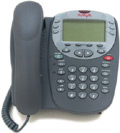
2How to Hard Reset an Avaya IP Phone
Use the Craft menu to clear settings, recover an unresponsive handset, or switch firmware modes when needed.
Tip Enter CRAFT# (27238#) during boot to access the Craft menu.
Recommended steps
- Reboot the phone.
- Enter the Craft menu during startup.
- Select CLEAR or RESET depending on the issue.
VoIPAudio Quality
3One-Way Audio, Static, or Echo on Avaya Phones
Audio issues often come from bad cabling, firewall or NAT traversal problems, blocked RTP ports, or codec mismatches.
Watch for SIP ALG, firewall inspection, and mismatched codec settings between endpoints.
Quick checks
- Test patch cables and headsets first.
- Review RTP port ranges and SIP ALG behavior.
- Confirm codecs match between endpoints and trunks.
PowerSwitch Reboot
4Phones Offline After a Power Outage or Switch Reboot
After a power event, phones may come up before the switch stack or control unit is ready, which can trigger registration timeouts.
What to do
- Reboot PoE switches if phones remain offline.
- Check port power and budget settings.
- Restart the PBX or control unit if needed.
TrunksCall Routing
5Inbound or Outbound Call Failures on Avaya IP Office
SIP trunk registration loss, PRI/T1 failures, or short code and route errors can prevent inbound or outbound calling.
Troubleshooting steps
- Check trunk status in SSA or System Manager.
- Verify short codes and route programming.
- Confirm provider connectivity and firewall rules.
VoicemailService Down
6Voicemail Not Answering or Voicemail Pro Service Down
Voicemail issues can occur when the service stops, storage fills up, ports are exhausted, or licenses are missing.
Verify these items
- Check the Voicemail Pro service status.
- Confirm voicemail type and license keys.
- Verify available storage and system health.
NetworkIP Conflict
7IP Address Conflicts and Intermittent Disconnections
Duplicate IPs or rogue DHCP servers can cause random drops, registration failures, and inconsistent phone behavior.
Recommended checks
- Identify the conflicting MAC address.
- Keep static devices out of the DHCP pool.
- Remove rogue DHCP sources on the network.
FirmwareLED Patterns
8Flashing Status Lights/Bootloader Recovery Problems
Flashing LED patterns often indicate firmware initialization issues, bootloader recovery, or hardware handshake failures.
Try this first
- Power-cycle the handset.
- Reload the correct firmware image.
- Use the proper provisioning or TFTP source.
FeaturesDND / Forwarding
9Feature Misconfigurations: Call FWD, DND, and Extension Mapping
User-level features and admin programming can create routing confusion if forwarding, DND, or soft keys are misconfigured.
Review these settings
- Check extension status in the admin portal.
- Review forwarding and DND settings.
- Audit soft keys and user profiles.
SystemBoot Failure
10IP Office Control Unit Boot Failure and SD Card Errors
Red LEDs, corrupted SD cards, failed power supplies, or disconnected modules can stop the control unit from booting normally.
Next steps
- Inspect chassis LED status.
- Recreate the system SD card if needed.
- Restore the latest backup after repair.
Frequently Asked Questions
What are the most common Avaya phone troubleshooting issues?
Registration failures, one-way audio, trunk outages, voicemail problems, and power or boot issues are the most common Avaya IP Office and Avaya Aura troubleshooting topics.
How common are Avaya phone systems in business environments?
Avaya phone systems are still used in many business environments, especially where companies rely on on-premise or hybrid PBX systems and need to maintain existing voice infrastructure.
How are smaller companies dealing with upgrading and expanding their Avaya
phone systems?
Smaller organizations often extend the life of their Avaya phone system,
relying on third-party vendors for refurbished hardware and maintenance. To
avoid expensive subscription-based upgrades, many keep their software on older
versions using existing hardware. When expansion is necessary, many favor
hybrid cloud deployments, while others look for refurbished equipment.
Why is my Avaya phone stuck on “Discovering...”?
This is usually an Avaya phone registration problem caused by DHCP, VLAN, or call server settings. Check the network options and confirm the phone can reach the IP Office or Aura server.
How do I hard reset an Avaya IP phone?
To hard reset an Avaya IP phone, reboot the handset and enter the Craft menu during startup using CRAFT# (27238#), then clear settings or reset the phone as needed.
What causes one-way audio on Avaya phones?
One-way audio on Avaya phones is often caused by firewall or NAT issues, blocked RTP ports, SIP ALG interference, codec mismatches, or cabling problems.
How should I handle Avaya firmware updates?
Avaya firmware updates should be installed with the correct files for your IP Office or Aura platform, using the supported upgrade path for your phone model and system version. Firmware updates can improve stability,
fix phone issues, and resolve compatibility problems, but they should always be tested on one device first before being rolled out to the rest of the system.