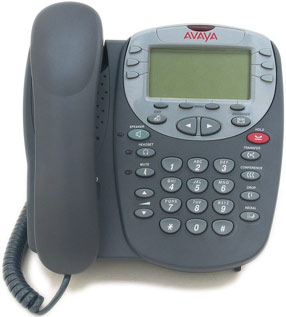
This reference library provides downloadable manuals for legacy Avaya business phone systems, with an emphasis on Avaya IP Office. It includes installation and administration guides, voicemail documentation, telephone user guides and quick-reference sheets for common Avaya digital and IP desk phones.
Reviewed and Updated: October 5, 2026
Many IP Office, Definity and Avaya/Nortel CS 1000 systems remain in service. Before changing programming, confirm your control unit, software release and telephone model; procedures can vary by platform and release.
Looking for a specific phone? Use the model sections below for 1400, 1600, 2400, 4600, 5600, 9500 and 9600 series documentation.
Before You Download an Avaya Manual
- Identify the phone model from the label on the bottom or rear of the set.
- Confirm whether the phone is digital, IP, SIP or an older Definity model; similar-looking phones can use different documentation.
- For IP Office administration changes, record the existing configuration and confirm the software release before modifying settings.
- If you need a default-password reference, see our Avaya IP Office default password guide.
- For PC softphone setup and troubleshooting, see our Avaya IP Office softphone guides.
Avaya IP Office System Manuals
Use the Installation manual for IP403/406/412 and IP401 systems for programming, installation (base units and expansion modules), and maintenance of the IP Office. The IP Office Intuity mailbox users guide gives instructions on how to use the mailbox features. The UMC Install and Maintenance manual covers the installation, configuration and maintenance of a Unified Communications Module.
Avaya IP Office Installation Manual
Avaya IP Office Intuity Mailbox Users Guide
Avaya IP Office UMC Install and Maintenance Manual v9.1
Avaya IP Office Telephone User Guides
These guides cover the basic functionality of your IP Office telephones.
The Avaya 5600-series phones remain common in installed IP Office environments. If you are replacing a failed set, confirm compatibility with your system and software release before purchasing refurbished equipment. View renewed Avaya 5610 phone listings
Avaya IP Office 5601 Telephone Quick Ref Guide
Avaya IP Office 5602 Telephone Quick Ref Guide
Avaya IP Office 5610 Telephone Quick Ref Guide
Avaya IP Office 5620 Telephone Quick Ref Guide
Avaya IP Office 9608 Telephone Quick Ref Guide
Avaya 1403 Digital Telephone Quick Ref Guide
Avaya 1408 Digital Telephone Quick Ref Guide
Avaya 1416 Digital Telephone Quick Ref Guide
Avaya 9504 Digital Telephone Quick Ref Guide
Avaya 9508 Digital Telephone Quick Ref Guide
Avaya 2402 Digital Telephone User Guide
Avaya 2410 Digital Telephone User Guide Rel 2
Avaya 2420 Digital Telephone User Guide Rel 4
Note: Compare the guide title and your phone/system configuration before downloading. Some 1400-series documentation applies to specific IP Office releases or telephone configurations.
Avaya Definity and 4600-Series Guides
Guides covering how to use 4600 series SIP telephones and the Definity 4606 IP telephone.
Avaya 4602 SIP Telephone SIP Rel 1.1 User Guide
Avaya Definity 4606 IP Telephone Rel 1 User Guide
Avaya 4610SW IP Telephone Rel 2.1 User Guide
Avaya 4620 4620SW IP Telephone Rel 2.1 User Guide
Avaya D 4624 IP Telephone Rel 1 User Guide
Avaya
5610 and 4610 Phone User Guide
Avaya/Nortel CS 1000 Administration Reference
Avaya CS1000 Software Input Output Ref Admin Manual
IP Office Software and DSS Label Templates
This ZIP archive contains the listed IP Office 500 administration programming software. Review compatibility and licensing requirements before installation.
Download Avaya IP Office 500 Administration Programming Software v7.0.0.4 (ZIP, 1.9 MB)
DSS Key Label Templates
The folder below offers the zipped file that contains a Word document with templates for the paper programmable key labels on various phones supported by Avaya. One template is for A4 size paper, the other for US Letter sized paper. Note: For 1400 Series phones use the templates provided for 1600 Series phones.
The folder offers the DSS Key Label Template in a zipped file for download.
Download Avaya DSS Key Label Templates for A4 and US Letter paper (ZIP, 317 KB)
Support and Replacement Considerations
Many Avaya IP Office, Definity and Avaya/Nortel CS 1000 installations remain in operation, but available support, replacement hardware and software compatibility can vary by platform, release and region. Before making a significant repair or expansion, document the installed control unit, software release, telephone models, voicemail platform and any analog devices or third-party integrations.
For organizations evaluating replacement options, compare the cost of maintaining the existing system with a modern on-premise, hosted VoIP or hybrid solution. Existing wiring, paging, door phones, fax machines, alarm interfaces and hotel/PMS integrations can materially affect the best migration path.
Featured Refurbished Avaya Telephones
Avaya 9608G (700510905) 4 Pack
Avaya Partner 18D Phone
Avaya 1608-I IP Phone Global
NOTE: PbxMechanic.com is a participant in the Amazon Services LLC Associates Program, an affiliate advertising program designed to provide a means for sites to earn advertising fees by advertising and linking to products on Amazon.com. Amazon and the Amazon logo are trademarks of Amazon.com, Inc. or its affiliates.