Used On-Premise PBX Systems: Pros, Cons and Buying Checklist
Last reviewed: September 28, 2026
A professionally selected and installed used on-premise PBX can
provide an excellent opportunity to achieve reliable business
communications while keeping costs under control. By reusing compatible
phones, utilizing valid licenses, and working with qualified technicians
who know the specific platform, businesses can often extend the life of
proven equipment and avoid the expense of a new system replacement.
The key is choosing the right system and having it properly evaluated
and installed. A qualified technician can verify compatibility, recover or
configure the system, confirm administrator access, ensure support for
your planned SIP trunk or carrier connection, and help identify available
parts and ongoing service options. With the right equipment and
professional support, a used PBX can deliver significant value and a
practical path to maintaining or upgrading your business phone system.
The purchase price is only part of the decision. Before buying a
refurbished business phone system, confirm the exact model and software
release, user and SIP licenses, voicemail platform, compatible phones and
interface cards, carrier connection method, configuration backup, warranty
terms, and—just as importantly—work with a vendor that can provide
qualified installation, configuration, and ongoing local support. This
guide explains the advantages, risks, buying checks, and common brands
found in the used PBX market.
When a Used PBX Is a Good Fit
A refurbished PBX can be a reasonable choice when all or most of these conditions apply:
You already own compatible phones, cabinets, cards, cabling, or accessories.
A local telecom technician supports the exact model and software release.
The seller can document working licenses, feature keys, and administrator access.
The PBX supports your planned SIP trunk, PRI, analog gateway, or cellular backup design.
The installed cost is lower than a supported replacement system after labor, licensing, and maintenance are included.
When to Avoid It
The legacy system lacks an important feature your business needs now or is likely to need as it grows.
No qualified local or remote technician is available for the platform.
The seller cannot identify the software version, licensing, configuration backup, or condition of the equipment.
The business needs strong mobile, remote-work, CRM, analytics, AI receptionist, or modern UC capabilities.
The installation depends on aging telephone facilities without a documented plan for SIP, fiber, cable, or cellular replacement.
Advantages of Buying a Refurbished PBX
Lower Upfront Equipment Cost
A refurbished PBX can cost substantially less than purchasing an equivalent system new, especially when a business can retain working telephones, expansion cards, cabinets, voicemail hardware, or existing cabling. The savings are most meaningful when the used system is a direct replacement or expansion of a platform already in service.
Reuse of Existing Phones and Infrastructure
Businesses with compatible digital, proprietary IP, analog, or DECT handsets may avoid a large replacement expense. Before relying on existing equipment, verify that the proposed controller, software release, licensing, and firmware support the exact phone models already installed.
Local Control and Reduced Subscription Costs
An on-premise PBX gives the business direct control over its
telephone system configuration and may reduce or avoid a per-user hosted PBX subscription. That does not mean it is free to operate: ongoing costs can include SIP trunks, electricity, backup equipment, replacement parts, maintenance, technical support, licensing, and occasional programming.
Fast Replacement for a Like-for-Like Installation
A used PBX can sometimes be deployed quickly when it replaces the same platform at an existing location. A seller may provide tested equipment, but do not assume that any used PBX is ready to install. It may still need licensing, programming, carrier configuration, voicemail setup, network changes, backup restoration, and site testing.
Carrier Transition and SIP Trunk Compatibility
Many used IP-PBX platforms can work with SIP trunks, but compatibility depends on the exact software release, available SIP licensing, supported codecs, firewall configuration, and the carrier or managed service provider. Cellular backup is normally delivered through external network equipment or an analog/SIP gateway, not by the PBX alone. Confirm the complete connection design before purchasing equipment.
Risks of Buying a Used PBX
End-of-Life Software and Security Exposure
Older systems may no longer receive manufacturer patches, feature releases, technical assistance, or replacement software media. A PBX that remains functional can still be a poor long-term investment if its operating system, voicemail application, management software, or network interfaces cannot be maintained safely
or does not have specific features necessary for business operations.
Licensing, Feature Keys and Ownership Transfer
A low equipment price may hide a licensing problem.
Work with a reputable vendor who will ensure a suitable solution and can
verify the number of user licenses, SIP trunk licenses, voicemail
licenses, mobility licenses, conferencing licenses, and feature keys
included with the sale.
Warranty and Condition Vary by Seller
Refurbished equipment quality varies. Ask
about any testing performed, replaced components, installed software release, included accessories, warranty period, return policy, and whether remote programming or technical support is included. A warranty that covers only the cabinet may not cover labor, shipping, programming, or downtime.
Parts, Phones and Qualified Technicians
An older PBX may be inexpensive to buy, but difficult to support. Before choosing a platform, identify likely failure items such as batteries, power supplies, hard drives, voicemail storage, interface cards, processors, handsets, and expansion modules. Also confirm that a knowledgeable technician can work on the exact release in your service area.
Integration and Expansion Limits
A used system may have limited compatibility with current CRM systems, remote-work tools, mobile applications, call analytics, security requirements, contact-center features, and collaboration platforms. If those capabilities are business-critical, compare the total cost of adapting the older PBX with the cost of a modern on-premise or hosted alternative.
Used PBX Buying Checklist
Use this checklist before approving a refurbished business phone system purchase. The goal is to price and evaluate the complete working solution, not just the controller or cabinet.
Identify the exact platform. Obtain the cabinet, processor, software release, expansion cards, phone models, voicemail platform, and power equipment—not merely the manufacturer name.
Verify all licensing. Confirm user licenses, SIP trunk licenses, voicemail licenses, mobility licenses, feature keys, and whether they can transfer to the new owner.
Confirm software and support status. Ask about manufacturer lifecycle status, independent support availability, software media, security updates, and current administrator access.
Document the carrier connection. Determine whether the site uses SIP trunks, PRI, analog lines, fiber voice, cable voice, or cellular backup, then verify the needed PBX interfaces and gateway equipment.
Request a configuration backup. A usable backup can preserve extensions, voicemail settings, hunt groups, auto attendants, speed dials, trunk programming, and other site-specific configuration.
Inspect replaceable components. Check backup batteries, power supplies, hard drives, voicemail storage, UPS equipment, interface cards, handsets, expansion modules, and rack hardware.
Price the installed system. Include shipping, labor, programming, licensing, replacement phones, gateways, batteries, SIP setup, network changes, emergency support, and any maintenance agreement.
Get warranty terms in writing. Clarify what is covered, how long it is covered, who pays shipping, whether replacements are available, and whether labor or programming is included.
Common Brands Found in the Used PBX Market
Used PBX availability changes by region and dealer inventory. The most important factor is not the logo on the equipment; it is whether the exact platform, software release, licenses, phones, and support resources remain usable for your business.
Used PBX Brands: What to Check Before Buying
Platform
Common Used Systems
May Fit Best When
Important Buying Risk
Avaya
IP Office, Partner
You can reuse compatible equipment and obtain model-specific support
Software release, licensing, phones, voicemail and support availability
Nortel
Norstar, BCM
You need a like-for-like repair, replacement, or small expansion
Legacy support, parts, programming knowledge and carrier migration
Cisco
Unified Communications Manager, Business Edition
The organization has Cisco voice expertise and complete licensing
Servers, licensing, phone compatibility and specialist administration
Panasonic
KX-TDA, KX-TDE, KX-NS
You are replacing or expanding an existing Panasonic installation
Parts, technician availability and release-specific support
Mitel / ShoreTel
MiVoice, ShoreTel
The current installation has documented software and support options
Licenses, software version, server condition and supportability
Sangoma
PBXact, Switchvox
You have Asterisk-capable support and confirmed software options
Software lifecycle, backup access, phones and administrator expertise
Avaya
Common used systems: IP Office, Partner
Best for
Existing Avaya locations that can reuse compatible telephones, cards, cabling, programming knowledge, and a technician familiar with the installed release.
Check before buying
Confirm the exact IP Office release, license files, SD card or server media, voicemail platform, SIP trunk licensing, compatible phones, expansion modules, and administrator access.
Avoid or replace when
The business needs current remote-work tools, vendor-backed updates, modern integrations, or cannot obtain valid licenses and dependable support.
Nortel
Common used systems: Norstar, BCM
Best for
Small businesses replacing a failed system or making a limited expansion where compatible handsets, programming information, and local technical knowledge already exist.
Check before buying
Verify the cabinet, processor, voicemail module, handset inventory, trunk cards, configuration backup, battery status, spare-part availability, and carrier migration requirements.
Avoid or replace when
The organization needs modern mobility, broad remote access, current integrations, or a dependable long-term manufacturer support path.
Cisco
Common used systems: Unified Communications Manager, Business Edition
Best for
Organizations with Cisco networking and voice expertise, documented licensing, compatible IP phones, and a clear reason to maintain a Cisco voice environment.
Check before buying
Confirm the server or appliance model, software release, virtualization requirements, user and device licensing, phone firmware, voicemail platform, gateway design, and administrator support.
Avoid or replace when
The system lacks valid licensing, a viable server environment, documented configuration, or personnel qualified to administer it.
Panasonic
Common used systems: KX-TDA, KX-TDE, KX-NS
Best for
Existing Panasonic users who need an economical replacement, spare system, or limited expansion while retaining compatible phones and cards.
Check before buying
Verify the cabinet type, processor card, software version, proprietary phone compatibility, voicemail options, SIP capacity, expansion cards, battery condition, and technician availability.
Avoid or replace when
Support resources are limited or the business requires broader UC, mobile, analytics, collaboration, or CRM integration capabilities.
Mitel and ShoreTel
Common used systems: MiVoice, ShoreTel
Best for
Existing installations that have a complete system inventory, working configuration backup, documented software version, and a realistic source for qualified support.
Check before buying
Confirm the platform model, software release, server health, licensing, phone compatibility, voicemail or collaboration components, configuration backup, and support options.
Avoid or replace when
The system cannot be maintained with available licenses, software media, replacement hardware, security updates, or knowledgeable administrators.
Sangoma
Common used systems: PBXact, Switchvox
Best for
Businesses with access to qualified Sangoma or Asterisk administration and a clear process for security, backups, SIP configuration, and ongoing maintenance.
Check before buying
Confirm the software version, support or subscription status where applicable, compatible phones, SIP trunk configuration, firewall setup, backup access, administrator credentials, and replacement hardware options.
Avoid or replace when
No qualified administrator is available, no usable backup exists, or the installed software cannot be maintained securely.
Samsung OfficeServ
Common used systems: OfficeServ 7030, 7100, 7200, 7400
Best for
A like-for-like replacement or modest expansion at an existing OfficeServ site with compatible phones, cards, documentation, and a qualified technician.
Check before buying
Confirm license requirements, processor and card compatibility, voicemail configuration, backup files, replacement card availability, carrier interfaces, phone inventory, and available support.
Avoid or replace when
You cannot find parts or a technician, or the system must support major remote-work, UC, or integration requirements.
Siemens and Unify HiPath
Common used systems: HiPath 1120, 1150, 1190, 3300, 3350, 3500, 3550, 3700, 3750, 3800
Best for
Maintaining an existing installation where the exact system, programming access, compatible phones, replacement parts, and independent service support are already known.
Check before buying
Verify model, software level, processor or motherboard, licenses, handsets, trunk interface, voicemail components, programming credentials, spare parts, and technician availability.
Avoid or replace when
The purchase is for a new deployment without a firm support plan, or when the business needs a long-term modern platform with predictable lifecycle support.
Yeastar
Common used systems: S-Series, P-Series Appliance Edition, P-Series Software Edition
Best for
Small and midsize businesses that want an IP-PBX with SIP trunk support, current software options, web-based administration, and a more modern alternative to older proprietary PBX platforms.
Check before buying
Confirm the exact model and hardware generation, installed firmware, user and concurrent-call capacity, included licenses or subscriptions where applicable, compatible IP phones, SIP trunk compatibility, backup access, security configuration, and vendor support options.
Avoid or replace when
The quoted system is an older end-of-sale or end-of-life model without a documented firmware path, available support, compatible replacement hardware, or a practical migration option.
Often encountered: NEC, Zultys, Allworx, Grandstream
Best for
Existing sites that understand the platform and can document hardware, software, licensing, phone compatibility, configuration access, and available support.
Check before buying
Identify the exact model and release, phone and card compatibility, license transfer rules, SIP trunk capability, configuration backup, parts availability, and technician support.
Avoid or replace when
The seller cannot supply complete technical details or the platform does not meet the organization’s long-term feature, security, or support requirements.
Used On-Premise PBX vs Cloud UCaaS
Comparing a refurbished PBX with cloud UCaaS requires more than comparing the initial invoice. A used on-premise system may be attractive when existing phones and infrastructure can be reused, while cloud service can reduce responsibility for PBX hardware and system maintenance.
Cost and Operational Factors to Compare
Cost or Operational Area
Used On-Premise PBX
Cloud UCaaS
Initial equipment cost
May be higher when phones, gateways, cards, servers, programming and licensing are required
Often lower upfront, though phones, setup, network upgrades and implementation may still be required
Monthly operating cost
SIP trunks, maintenance, parts, backups, electricity, support and occasional programming
Per-user subscription, calling plans, taxes, add-ons, storage, support tier and equipment rental where applicable
Internal IT responsibility
Higher responsibility for backups, security, carrier setup, updates and troubleshooting
Less PBX administration, but continued dependence on internet service, provider support and account administration
Long-term risk
End-of-life hardware, unsupported software, unavailable licenses, parts and technicians
Recurring costs, provider changes, feature limits, add-ons, data retention rules and vendor dependency
Best fit
Stable sites with reusable assets, local expertise and modest feature requirements
Businesses needing mobile access, remote work, simple scaling and reduced hardware responsibility
Costs vary by user count, location, existing phones and cabling, required integrations, licensing, carrier design, service level, installation labor, and the age of the equipment. Obtain installed quotes based on your actual system requirements rather than comparing only equipment prices or monthly subscription rates.
Plan the Installation, Not Just the Purchase
A used PBX purchase should include a clear plan for installation, programming, testing, and follow-up support. The final system must be matched to the premises, existing phones and cabling, internet connection, SIP trunks or other carrier service, voicemail, paging, door phones, fax or alarm devices, and the number of users who need service.
A qualified telecom vendor can identify the required components, provide a detailed quote, install the equipment, test calling and emergency-service requirements, and help ensure the system is ready for day-to-day use. This is often
the safer and more cost-effective plan.
Frequently Asked Questions About Used PBX Systems
Can a used PBX work with SIP trunks?
Often, yes—but it depends on the exact PBX model, software release, SIP licensing, interface hardware, codecs, firewall configuration, and carrier requirements. Confirm compatibility with the selected SIP provider before buying the equipment.
Can PBX licenses transfer to a new owner?
Some licenses may transfer, while others may be tied to an account, hardware serial number, software key, dealer relationship, or manufacturer policy. Get written confirmation of what is included and transferable before the purchase.
Is a used PBX always cheaper than cloud phone service?
No. A used PBX can reduce initial costs when you reuse compatible phones and have available technical support. It can become expensive if it needs licensing, replacement cards, servers, gateways, programming, emergency repairs, or a specialized technician. Compare the installed and operating cost over the period you expect to keep the system.
How long can a refurbished PBX last?
Hardware may continue to operate for years, but practical service life depends on parts availability, batteries, power supplies, software support, security requirements, available licensing, carrier compatibility, and technician availability. A working system is not necessarily a supportable long-term system.
Can a legacy PBX support analog devices?
Many older PBXs can support analog equipment through appropriate station ports, adapters, or gateways. Confirm the exact requirement for fax machines, paging, alarms, door phones, elevator phones, credit-card terminals, or other analog devices before choosing a replacement system.
What should be included with a refurbished PBX purchase?
At minimum, ask for the exact equipment list, tested software release, licenses and feature keys, power supplies, processor, interface cards, compatible phones, voicemail components, configuration backup if available, administrator access, warranty terms, return policy, and support options.
Has the Shift to Cloud Phone Service Increased the Supply of Used PBX Systems?
Yes. As businesses replace on-premise phone systems with cloud PBX or UCaaS services, more used cabinets, phones, voicemail equipment, cards, and accessories can enter the resale market. This can benefit buyers who need compatible replacement equipment or a lower-cost system for a stable location.
Still, availability does not guarantee value. Many systems are sold because they are outdated, unsupported, missing licenses, or difficult to service.
Work with a qualified vendor that can quote the exact equipment, installation, carrier connectivity, warranty, and ongoing support needed for your location.
A refurbished on-premise PBX is most attractive when it is a documented,
supportable solution for a stable business that can reuse existing phones and infrastructure.
The lowest-priced used cabinet is rarely the best deal if it lacks transferable licensing, a configuration backup, current carrier compatibility, available parts, or dependable technical support.
Before buying, confirm the exact platform, release, licenses, support plan, carrier design, and installed cost.
If you need broad remote-work tools, mobile apps, simple expansion, modern integrations, or a predictable support model,
compare the used system carefully with a current cloud or on-premise replacement.
Ready to compare your options? Complete our online phone system questionnaire to receive tailored quotes from reputable
telecom vendors serving your area. Your requirements—including user count, existing phones, locations, carrier service, analog devices,
remote-work needs, budget, and preferred installation timeline—can be used to match you with providers able to recommend and install
an appropriate used, refurbished, new on-premise, or cloud-based phone system solution.
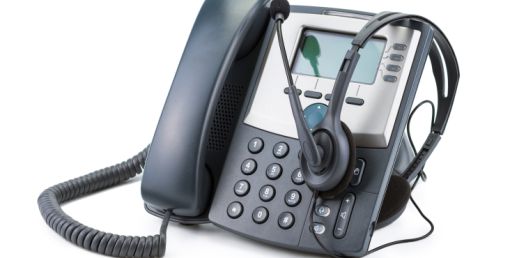 A professionally selected and installed used on-premise PBX can
provide an excellent opportunity to achieve reliable business
communications while keeping costs under control. By reusing compatible
phones, utilizing valid licenses, and working with qualified technicians
who know the specific platform, businesses can often extend the life of
proven equipment and avoid the expense of a new system replacement.
A professionally selected and installed used on-premise PBX can
provide an excellent opportunity to achieve reliable business
communications while keeping costs under control. By reusing compatible
phones, utilizing valid licenses, and working with qualified technicians
who know the specific platform, businesses can often extend the life of
proven equipment and avoid the expense of a new system replacement.