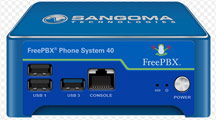
 Sangoma Technologies Corporation is a Canadian manufacturer of VoIP
hardware and software which are used in unified communications worldwide.
Well known for their excellent interface cards, they established an early
presence in the VoIP world with cards that surpassed their competition with
great echo cancellation features.
Sangoma Technologies Corporation is a Canadian manufacturer of VoIP
hardware and software which are used in unified communications worldwide.
Well known for their excellent interface cards, they established an early
presence in the VoIP world with cards that surpassed their competition with
great echo cancellation features.
Documentation Status
- Current platforms: Verify the latest Sangoma documentation for current PBXact, FreePBX 17, Switchvox, P-Series phones and Vega products.
- Legacy resources: Many documents below support installed PBXact, FreePBX 15/16, S Series and earlier Vega deployments.
- Before making changes: Match the manual to the exact appliance model, firmware, FreePBX version and installed modules.
Sangoma phones have historically offered close integration with FreePBX and PBXact, including provisioning tools and phone applications. Verify the current model, firmware and support status before deployment.
After Sangoma acquired FreePBX publisher Schmooze Com in 2015, it expanded its portfolio of FreePBX-related software, commercial modules, PBXact appliances, IP phones and gateway products. This page collects documentation for both current and legacy Sangoma products, including PBXact, FreePBX, Vega gateways and Sangoma S Series phones.
Last reviewed: September 2026. This page includes both current documentation and archived resources for legacy Sangoma, PBXact and FreePBX installations.
For Sangoma telephones from a trusted vendor;
Sangoma s505 VoIP Phone w/POE
Sangoma s705 VoIP Phone w/POE
Sangoma s406 VoIP Phone w/POE
Legacy documentation notice: Older PBXact, FreePBX, S Series and Vega documents may remain useful for maintaining installed systems, but specifications, supported firmware, software versions and vendor support status can change. Confirm compatibility before making production changes.
Sangoma PBXact and FreePBX Appliance Manuals
Sangoma PBXact 40 Datasheet
Sangoma PBXact 60 Datasheet
Sangoma PBXact 100 Datasheet
FreePBX Series Datasheet
FreePBX
Endpoint Manager Admin User Guide
Sangoma FreePBX FaxPro Brochure
Sangoma FreePBX Web Callback Brochure
Sangoma EndPoint Manager Brochure
Sangoma
PBXact PBXtended Features
Sangoma Expansion Module Datasheet
Sangoma
FreePBX Setting Up Sangoma Phones w/ Zero Touch Provisioning
PBXact Appliance with GXP21xx Phones User Manual
Sangoma Vega VoIP Gateway Documentation
Sangoma Vega 60G Datasheet
Sangoma Vega 100-200 Gateway Datasheet
Sangoma Vega-4x4 Datasheet
Sangoma Vega 100 Configuration Guide
Sangoma Vega Administration Guide
Sangoma Vega 400GF Gateway Datasheet
Sangoma S Series IP Phone Manuals
Sangoma
Phones Brochure
Sangoma PBXact S Series Phone User-Guide
Sangoma
S-Series
Phone Setup Zero Touch Guide
Sangoma
Phone S500 Datasheet
FreePBX Setup, Upgrade and Administration Guides
The following documents are retained for administrators supporting legacy FreePBX 15 and PBXact deployments. Before upgrading a production PBX, verify compatibility, backup requirements and current vendor documentation.
FreePBX Setup and PBX Configuration Step by Step
FreePBX 15 Upgrade Guide
About Sangoma Technologies & Switchvox
 Sangoma
Technologies Corporation, founded in 1984, is a Canadian manufacturer and
publicly traded company that makes VoIP hardware and software that are used
in unified communications, PBX, IVR, contact center, and data-communication
applications worldwide. Sangoma acquired FreePBX publisher Schmooze in 2015,
the best open-source GUI (Graphical User Interface) that controls and manages
Asterisk. FreePBX has been bundled into various Asterisk-based third-party
products such as trixbox, PBX in a Flash, and Incredible PBX, and is used in
many Asterisk installations worldwide. Sangoma built a solid reputation with
some of the industry's best telephony cards, and were used in many Asterisk
deployments. Sangoma acquired Digium in September 2018 and became the primary
developer and sponsor of the open-source Asterisk project, as well as FreePBX.
Sangoma
Technologies Corporation, founded in 1984, is a Canadian manufacturer and
publicly traded company that makes VoIP hardware and software that are used
in unified communications, PBX, IVR, contact center, and data-communication
applications worldwide. Sangoma acquired FreePBX publisher Schmooze in 2015,
the best open-source GUI (Graphical User Interface) that controls and manages
Asterisk. FreePBX has been bundled into various Asterisk-based third-party
products such as trixbox, PBX in a Flash, and Incredible PBX, and is used in
many Asterisk installations worldwide. Sangoma built a solid reputation with
some of the industry's best telephony cards, and were used in many Asterisk
deployments. Sangoma acquired Digium in September 2018 and became the primary
developer and sponsor of the open-source Asterisk project, as well as FreePBX.
Sangoma acquired Digium in 2018, bringing the Switchvox platform into the Sangoma product family. Since then, Switchvox has become Sangoma's primary turnkey on-premises unified communications and PBX solution. Switchvox is designed to work closely with Sangoma IP phones, SIP trunking, VoIP gateways, session border controllers, and collaboration applications, giving businesses a more integrated alternative to assembling a system from separate vendors.
Sangoma still offers PBXact appliances and support for current models, although some older PBXact UCS hardware platforms have reached end-of-life. For a new on-premises PBX deployment, Switchvox is generally Sangoma's fully packaged solution. PBXact remains a good fit for organizations that prefer a commercially supported, appliance-based system built around the FreePBX ecosystem.
About FreePBX
FreePBX remains an active open-source, web-based graphical user interface (GUI) for managing Asterisk, the underlying VoIP and telephony server. It enables organizations, resellers, and telecom installers to build and administer an IP-PBX with extensions, SIP trunks, inbound and outbound routing, IVRs, voicemail, queues, call recording, conferencing, and numerous other modules—while allowing considerably more flexibility and customization than a typical turnkey proprietary phone system. FreePBX is licensed under the GNU General Public License (GPL), and Sangoma is its primary sponsor, developer, and maintainer. Sangoma became involved through its 2015 acquisition of Schmooze Com, the company that had acquired and developed FreePBX.
Sangoma supports the open-source FreePBX project while also offering commercial modules, paid technical support, Sangoma phones and gateways, SIP trunking, and supported PBXact/FreePBX appliance options. The current major release is FreePBX 17, which uses Debian 12; its supported lifecycle is listed through 2028. FreePBX 16 remains supported during its transition period, while FreePBX 15 is end-of-life. Earlier FreePBX systems were commonly deployed using the now-retired FreePBX Distro, which was CentOS-based and bundled Linux, Asterisk, and FreePBX. Current FreePBX 17 deployments use a Debian-based installation approach rather than the former CentOS-based distro.
Sangoma Manuals and Documentation FAQ
What Sangoma product does each manual apply to?
Each document on this page is grouped by Sangoma product family. PBXact and FreePBX appliance documents apply to Sangoma PBX platforms and related administration features. Vega documents apply to Sangoma analog, PRI, BRI, SIP and media gateway products. S Series phone documents apply to Sangoma IP desk phones, including models such as the s406, s505 and s705. Check the manual title, product model number and software version before using a guide on a live system.
Is this Sangoma product current, discontinued or legacy?
This page includes a mixture of current and legacy Sangoma documentation. Older PBXact appliances, FreePBX releases, IP phone models and gateway documents may still be useful when maintaining an installed system, even if the original hardware or software version is no longer sold or actively updated. Before purchasing equipment, applying firmware or planning an upgrade, confirm the product's current availability, software compatibility and support status with Sangoma or an authorized Sangoma reseller.
What is the difference between a datasheet, installation guide, administrator guide and user guide?
A datasheet summarizes product specifications, capacity, interfaces and features. An installation or setup guide explains how to connect, deploy or initially configure the product. An administrator guide is intended for the technician or system administrator who manages settings, provisioning, extensions, trunks, gateways or maintenance. A user guide explains normal day-to-day operation, such as making calls, transferring calls, using voicemail or operating phone keys and display features.
Can I use these manuals for an existing Sangoma installation?
In many cases, yes. These manuals are especially useful for identifying hardware, checking port or capacity information, provisioning compatible IP phones, reviewing endpoint settings and supporting older PBXact, FreePBX or Vega deployments. However, documentation may not match the exact firmware, FreePBX release, commercial module version or configuration currently in use. Back up a production PBX and verify the applicable model and software version before making configuration, provisioning or upgrade changes.
What is the difference between FreePBX and PBXact?
FreePBX is the web-based PBX administration platform commonly used with Asterisk. PBXact is Sangoma's commercially supported PBX offering, available as software and on Sangoma appliances, with integrated commercial features and Sangoma support options. Both can be used with Sangoma phones and related provisioning tools, but available features, licensing, support and software versions can differ by deployment.
Which guide should I use to provision Sangoma S Series phones?
Start with the Sangoma S Series Phone Setup and Zero Touch Provisioning Guide for initial phone deployment. For extension assignments, templates, phone settings and ongoing administration, use the FreePBX Endpoint Manager documentation that matches your FreePBX or PBXact environment. Sangoma phone provisioning depends on correct network access, the PBX or Endpoint Manager address, phone firmware and the template assigned to the extension.
Do Sangoma S Series phones work only with FreePBX and PBXact?
Sangoma S Series phones were designed to integrate closely with FreePBX and PBXact, including Zero Touch provisioning and Sangoma phone applications. They may be usable in other SIP environments, but feature availability, provisioning methods, firmware support and application integration can vary. Confirm compatibility with the PBX platform and the intended phone firmware before deploying phones on a non-FreePBX or non-PBXact system.
Which Sangoma Vega manual should I use?
Choose the Vega document that matches the gateway model and the task you are performing. A Vega datasheet is best for hardware specifications and port capacity. A configuration guide is more useful when setting up SIP, analog, BRI, PRI, network settings or call routing. An administration guide is the better reference for ongoing management, troubleshooting and system-level configuration. Always confirm the exact Vega model, installed modules and firmware release before following configuration steps.
Can FreePBX Endpoint Manager provision third-party phones?
Endpoint Manager can support a range of compatible third-party endpoints in addition to Sangoma phones. Support varies by phone brand, model, firmware and the templates available in the installed version of Endpoint Manager. Review the applicable Endpoint Manager documentation and test a template on a nonproduction phone before rolling out changes across a larger deployment.
What should I do before upgrading FreePBX or PBXact?
Before an upgrade, create and verify a complete backup, document the current software and module versions, confirm extension and trunk requirements, and review compatibility for phones, gateways, add-on modules and custom configuration. A major upgrade should be planned and tested rather than performed solely because an older manual describes a newer release. For business-critical systems, schedule the work during a maintenance window and ensure there is a tested rollback plan.
What newer Sangoma option should I consider when replacing legacy equipment?
For a new Sangoma deployment, consider Switchvox when you want a turnkey on-premises UC system with tightly integrated Sangoma hardware and support. Consider PBXact when a commercially supported FreePBX-based appliance or software deployment better fits the project. FreePBX may suit organizations that need a more customizable Asterisk-based platform. Also evaluate cloud or hybrid services where local hardware is not required.
Are the PDF manuals on this page official Sangoma documentation?
The documents on this page are provided as a reference library for Sangoma, FreePBX, PBXact, Vega and Sangoma phone users. Product specifications, firmware, feature availability and support policies can change. When a configuration decision affects a production phone system, use the most recent vendor documentation available for the exact product and software version, and verify important details with Sangoma support or an authorized provider.
Documentation note: This library includes both current and legacy reference material. Verify product status, firmware compatibility and support eligibility before making changes to a production system.
NOTE: PbxMechanic.com is a participant in the Amazon Services LLC Associates Program, an affiliate advertising program designed to provide a means for sites to earn advertising fees by advertising and linking to products on Amazon.com. Amazon and the Amazon logo are trademarks of Amazon.com, Inc. or its affiliates.